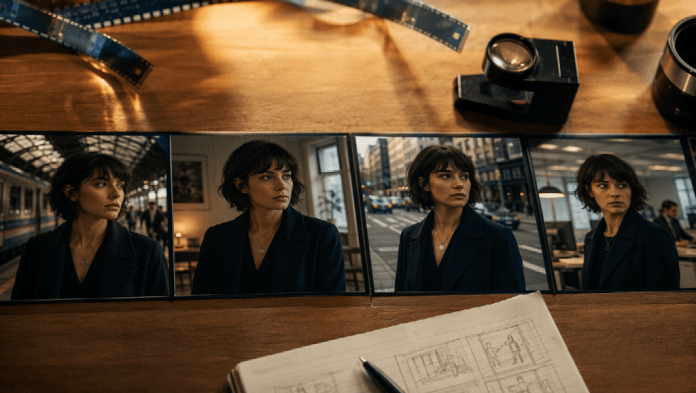
Single-shot AI clips are easy. Multi-scene AI films are where most projects fall apart.
You generate a strong opening: the lead looks right, the room feels real, the mood lands. Then scene two arrives with a different face shape, a new wardrobe, and lighting that belongs to another movie. By scene four, you are no longer directing a film. You are stitching strangers together.
Character continuity is the difference between a demo reel and an AI Film Studio workflow built for multi-scene storytelling. This guide focuses on that problem: how to keep cast, wardrobe, and world identity stable while you move from scene to scene.
Why Continuity Breaks in AI Film Projects
Most AI video tools optimize for one beautiful clip. They do not automatically protect:
- Facial identity across angles and emotions
- Body proportions and wardrobe
- Location geography and set details
- Time-of-day and lighting logic
- Camera language that matches previous coverage
When each prompt starts from zero, the model invents a new version of your character. That is fine for social experiments. It is fatal for a short film, pilot, or branded narrative with more than one scene.
Continuity is not a style preference. It is production design.
What “Consistent” Means for an AI Film
Before you generate, define the locks you will not renegotiate mid-project:
- Cast lock — Who is the lead? Secondary cast? Any recurring extras?
- Look lock — Age range, hair, wardrobe silhouette, signature props
- World lock — Location type, era, weather, color palette
- Tone lock — Drama, thriller, intimate dialogue, commercial polish
Write these as a one-page continuity bible. If a new scene prompt conflicts with the bible, change the scene — not the cast.
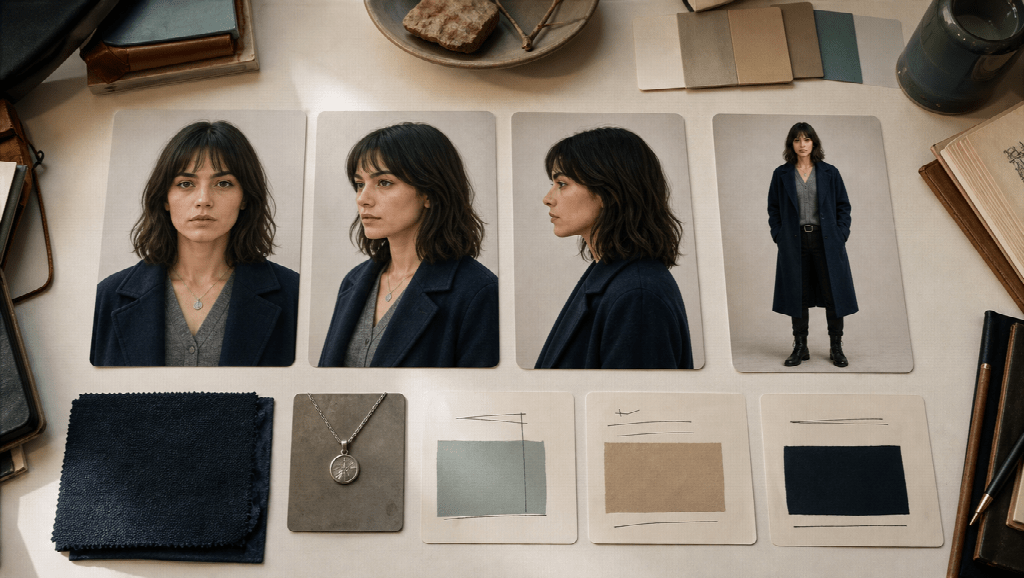
Step 1: Build a Character Sheet Before Storyboards
Do not start with motion. Start with still identity.
Create a character sheet with:
- Front face reference
- Three-quarter and profile if possible
- Full-body wardrobe reference
- 3–5 “do not change” notes (scar, glasses, coat color, hair length)
Keep the same sheet linked to every later scene. When you move into boards and generation, you are directing from a cast file, not from memory.
If your workspace lets you attach character and world references across story, boards, and scene generation, use that path. Film Studio-style pipelines exist specifically so identity does not reset every time you open a new prompt box.
Step 2: Board Each Scene With the Same Cast Language
Storyboards are where continuity either locks in or leaks.
For every scene, board:
- Establishing shot of the same world
- Character entry with recognizable wardrobe
- Coverage that repeats visual grammar from earlier scenes
- A closing frame that could cut into the next scene
Avoid “pretty but anonymous” boards. If you cannot recognize the lead in a thumbnail, the video model will not save you later.
A practical rule: approve still continuity before you spend credits on motion.
Step 3: Direct Performance Without Changing Identity
Performance direction should change emotion and blocking, not biology.
Good notes:
- “She realizes the package is gone; keep the navy coat and short dark hair.”
- “He enters from the hallway light; same gray hoodie, tired but controlled.”
Risky notes:
- “Make her look more elegant.”
- “Younger version of the same person.”
- “Cinematic hero lighting” with no link to previous scenes
Elegant, younger, and “more cinematic” are soft invitations for the model to redesign the cast.
Step 4: Generate Scenes as Beats, Not Isolated Clips
Treat each generation as one beat in a sequence:
- Confirm the character sheet is attached
- Confirm the board frame for that beat is approved
- Add camera and performance notes
- Generate motion for that beat only
- Compare against the previous approved beat before continuing
If beat three breaks the face or wardrobe, fix beat three. Do not “average” the problem by regenerating the whole film.
This is slower than one-prompt generation. It is also how multi-scene AI films become editable.
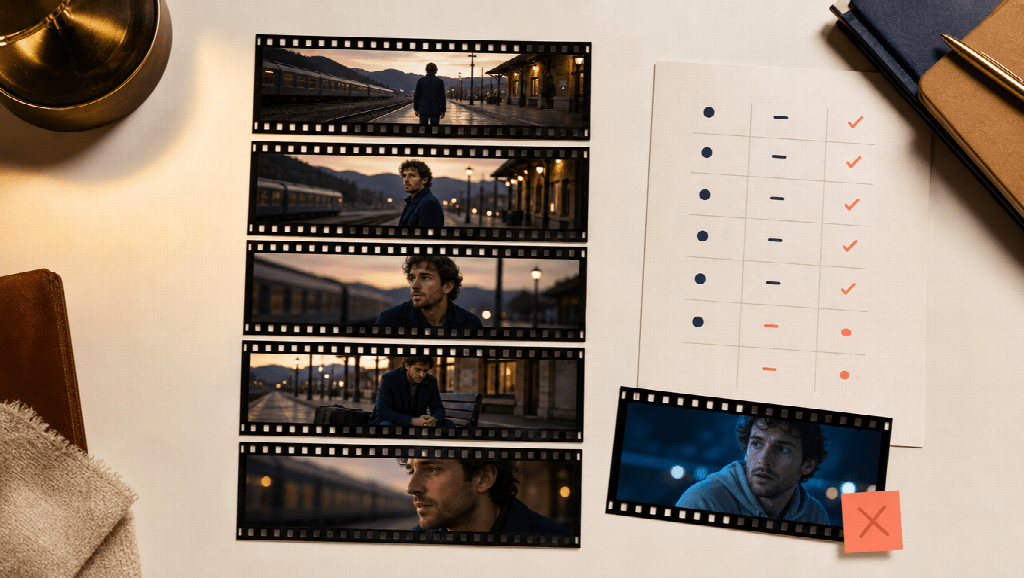
Step 5: Continuity Check Before You Edit
Before timeline assembly, run a fast continuity pass:
| Check | Pass condition |
|---|---|
| Face | Same person across mid and close shots |
| Wardrobe | Same silhouette and colors |
| Location | Same set logic and geography |
| Light | Time-of-day still makes sense |
| Lens language | Coverage feels like one shoot day |
Reject clips that fail two or more rows. Keeping a beautiful but inconsistent shot usually costs more time in the edit than regenerating it.
A Simple Multi-Scene Continuity Workflow
Use this as a default production loop:
- Write scene cards for the whole short (not one scene only)
- Lock cast and world references
- Board scene 1 → approve → generate → approve
- Board scene 2 with the same locks → approve → generate → approve
- Repeat until the sequence holds
- Edit only from approved beats
The point of a connected film studio workflow is not more buttons. It is fewer identity resets between those stages.
Common Continuity Mistakes
- Changing wardrobe language every scene because the prompt “sounded cooler”
- Using different character references for close-ups and wides
- Mixing daytime and night looks without story reason
- Generating dialogue coverage before locking the master look
- Treating each scene as a separate project file with no shared bible
Most of these mistakes are process problems, not model problems.
Who This Workflow Is For
This approach fits creators who need:
- Short films with recurring characters
- Pilot-style scenes that must feel like one world
- Brand films where the same spokesperson or cast returns
- Music-video narratives with multi-location continuity
If you only need a single 8-second stylized clip, a one-shot generator is enough. If you need a story that survives scene changes, continuity has to be designed.
FAQ
How many reference images do I need for one character?
Start with one strong face reference and one full-body wardrobe frame. Add profile or expression sheets only if close-ups keep drifting.
Should every scene use the exact same prompt?
No. Keep identity lines stable and change only story, blocking, and camera notes.
Can I fix continuity only in editing?
Rarely. Editing can hide small mismatches. It cannot rescue a recast lead.
When do I move from boards to video?
When you can recognize the same character and world in every approved still for that scene.
Final Takeaway
Multi-scene AI filmmaking is a continuity craft. Lock cast and world early, board with the same visual language, direct performance without redesigning identity, and generate scene by scene against approved references.
That is how an AI film stops looking like a playlist of clips and starts reading as one story — with you still directing, and AI producing the images and motion inside a studio workflow built for more than one shot.